
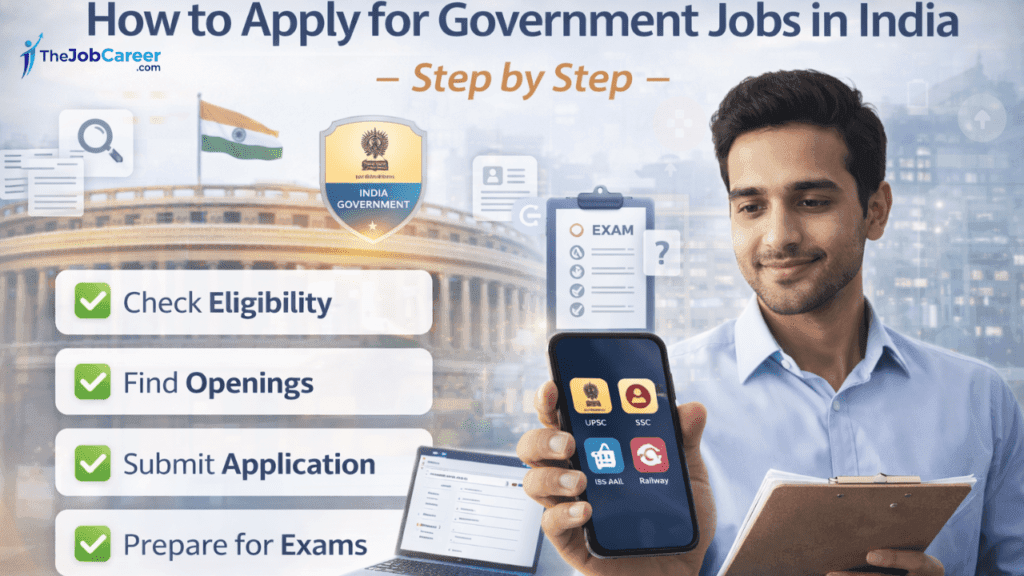

Getting a government job in India is a goal for millions — job security, steady pay, retirement benefits, and social respect. But with thousands of notifications, portals, and exam rules, the application process can feel confusing. This guide walks you step-by-step through how to apply, how to stay updated with the latest official notices, and practical tips to increase your chances — all in one place.
1. Know the kinds of government jobs and recruitment bodies
Before you apply, identify which recruiting body runs the vacancy:
- All-India exams & officer-level posts: UPSC (Union Public Service Commission).
- Group B/C central services, clerical, constable, technical posts: Staff Selection Commission (SSC) and its regional bodies.
- State-level public service commissions: (e.g., MPSC, UPPSC, KPSC) handle state administrative jobs.
- Ministries / Departments / Autonomous bodies: often advertise directly or via Employment News / official portals. Employment News is the government’s flagship job bulletin — subscribe for weekly updates.
- National Career Service (NCS): a central portal where many government and public-sector vacancies are posted and where jobseekers can register.
Understanding who issues the notification tells you: where to apply, eligibility, exam pattern, fees, and deadlines.
2. Prepare essential documents (before you apply)
Have digital and physical copies ready — most online forms require uploads:
- Aadhaar card / PAN / Voter ID
- 10th, 12th, Graduation certificates (scanned in PDF/JPEG)
- Passport-size photograph (recent) and signature (specifications vary — read the notification)
- Caste / PwD / Ex-servicemen certificates (if applicable)
- Domicile or experience certificates (if required)
- Active mobile number and email for OTP verification
- Scanned ID proof for identity verification during admit card and document verification stages
3. Create required candidate accounts (One-Time Registration)
Many agencies use a One-Time Registration (OTR) or candidate profile system:
- UPSC uses an Online Recruitment Application (ORA) / OTR for multiple exams. Create your OTR and keep your credentials safe.
- SSC also asks candidates to register/login through its portal before applying for specific exams.
- NCS allows jobseekers to create a profile to apply for listed vacancies.
Registering early saves time and helps when a short-notice notification appears.
4. Find the right vacancy and read the official notification carefully
Where to look:
- Official commission websites (UPSC, SSC, state PSCs).
- Employment News (weekly) for centralized job listings and government circulars.
- NCS portal for government and public-sector opportunities.
What to read in the notification:
- Eligibility (age, education, nationality)
- Important dates (start/end of application, exam date, admit card release)
- Application fee and mode of payment
- Syllabus and exam pattern
- Reservation & relaxation rules
- Document list & photo/sign specifications
Latest example (stay aware): UPSC and SSC release exam-specific notifications frequently (e.g., UPSC CDS notifications). Always follow the official links in the notification to apply. The Economic Times+1
5. Fill the application form step-by-step (common traps & tips)
- Open the exact “Apply Online” link from the official notification — do not use third-party links.
- Fill personal, educational, and category details exactly as on official documents. Mismatches cause rejections.
- Upload photo & signature according to the specified size and format. Many forms reject wrong dimensions.
- Pay the application fee (if applicable) using the prescribed mode — keep the transaction receipt.
- Preview the form before final submit; most portals do not allow major edits after submission.
- Print/save the confirmation or application PDF and note your registration number/transaction ID.
6. Apply for reserved category benefits correctly
If you claim SC/ST/OBC/PwD/Ex-Servicemen benefits:
- Upload valid certificates in the prescribed format.
- OBC certificates should be current and include the “non-creamy layer” clause, if required.
- For PwD, note the medical board/percentage and upload the disability certificate.
Incorrect or missing certificates can lead to disqualification.
7. How selection usually proceeds (common stages)
Most government recruitments follow multi-stage processes:
- Online application → eligibility check
- Written exam / computer-based test (CBT)
- Descriptive paper / interview / physical test / skill test (post CBT)
- Document verification
- Final merit list and appointment orders
Each step’s weightage differs by exam — check the notification’s selection criteria.
8. Stay updated with latest notifications & changes (important)
Government recruitment rules and exam schedules sometimes change. Ways to stay current:
- Bookmark official portals (UPSC, SSC, state PSCs) and check regularly
- Subscribe to Employment News weekly and email alerts.
- Register on NCS and turn on job alerts.
- Follow official social handles of commissions (X/Twitter, Facebook) for urgent updates.
- Set a Google Alert for the exact post/commission name for instant updates (e.g., “UPSC CDS notification 2026”).
9. Common mistakes to avoid
- Using unofficial application portals or paying to intermediaries — always use the official link.
- Uploading photos/signatures that don’t match specs.
- Missing the last date — many jobs see a surge in applications on final days.
- Incorrect category or DOB entries (difficult to change later).
- Ignoring small-print instructions in the notification.
10. After applying — prepare smartly & track your application
- Download admit card as soon as it’s released. Admit cards are issued on the official portals (UPSC/SSC/state PSC).
- Create a revision plan using the official syllabus and past-year papers.
- Save screenshots of submitted application and payment receipts.
- For multi-stage processes, keep all original documents ready for verification.
Quick checklist (before you click SUBMIT)
- Registered account on the official portal
- Correct personal and academic details
- Photo & signature in required format
- Required certificates scanned and uploaded
- Fee paid and receipt saved (if applicable)
- Confirmation PDF saved/printed
- Note application/registration number
Final tips & staying current with real latest news
- Use only official websites for application and admit cards (UPSC, SSC, state PSCs).
- Subscribe to Employment News and NCS to capture central and state vacancies in one feed.
- Watch for accessibility and policy updates — e.g., UPSC recently announced changes to improve PwBD candidates’ exam center allocations (check UPSC news/notifications for details).